
Spotify Adds 'User Notes' Feature for Track-by-Track Context in Playlists
Turn playlists into personal music journals

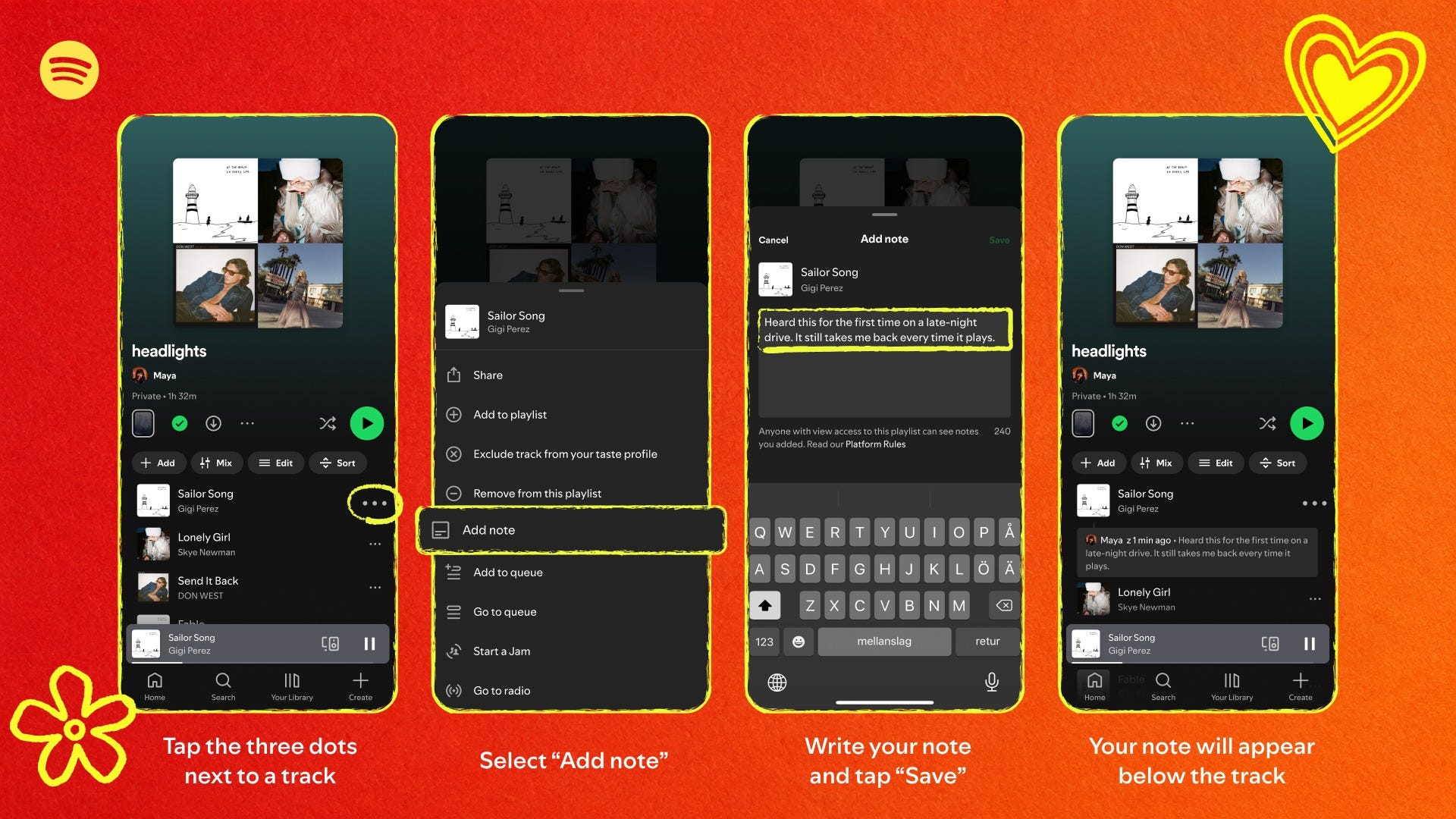
Spotify is introducing “User Notes,” a new feature that allows users to attach short, customizable captions to individual tracks within playlists they create or manage.
Available to Free and Premium users aged 16 and up in select markets, the tool lets listeners add memories, discovery stories, or contextual details next to each song—transforming standard playlists into more personal, narrative-driven collections.
Notes appear to anyone who can view the playlist, with the author’s name linking to their profile, and can be added via the three-dot menu on mobile.
HOW TO:
On mobile, in any playlist you’ve created or added tracks to, tap the three-dot menu next to a track.
Select “Add note.”
Type a note (a memory, extra context for why you chose this song for this playlist) and tap Save.
Your note is now visible to anyone who can see the playlist, with your name linking to your profile.